How To Download Invoices On SourcinBox APP

SIB Content Team
Many are asking for invoices after they place orders to us. In order to make it more convenient and efficient for you to get invoices, we enabled downloading invoices on SourcinBox APP. You can either download invoices based on transaction or date of payment.
1. Invoices Based on Transaction
Each transaction generates one invoice on SourcinBox app. You have to download the invoice for each transaction one by one.
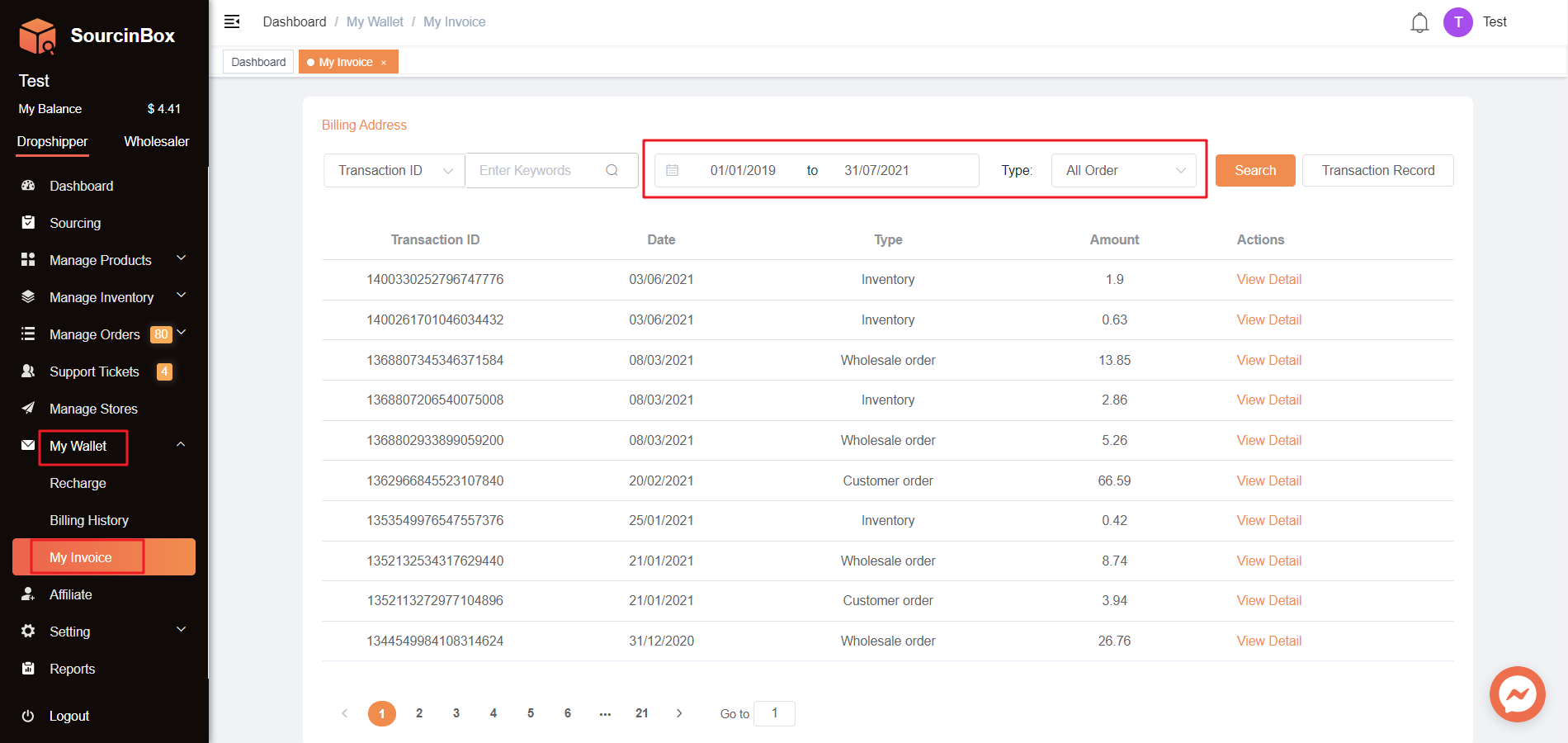
1.1 My Wallet - My Invoice
Select the right time frame or order type to search for the transactions.
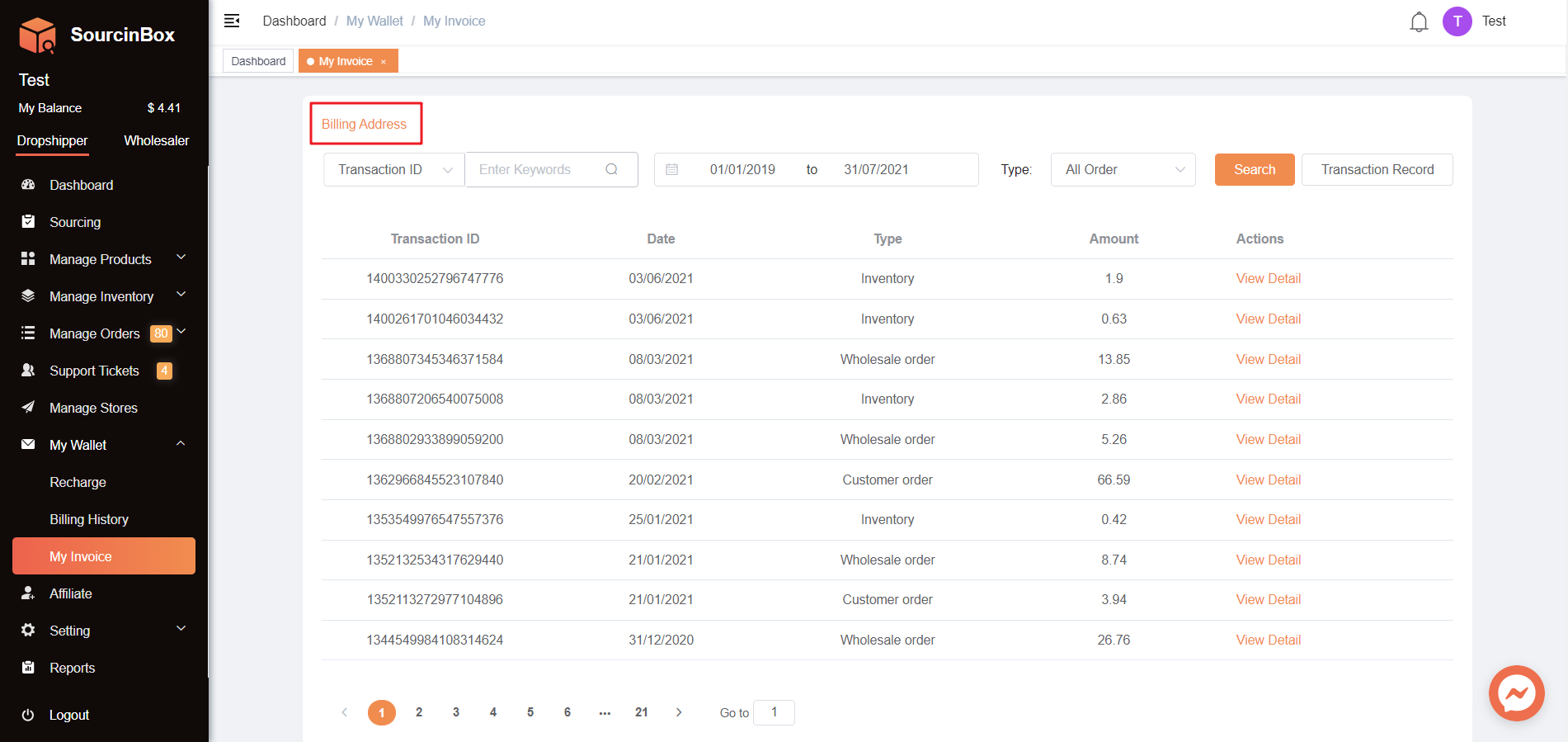
1.2 Edit "Billing Address"
Please first edit the billing address before downloading an invoice. The billing address will show up on the invoice.
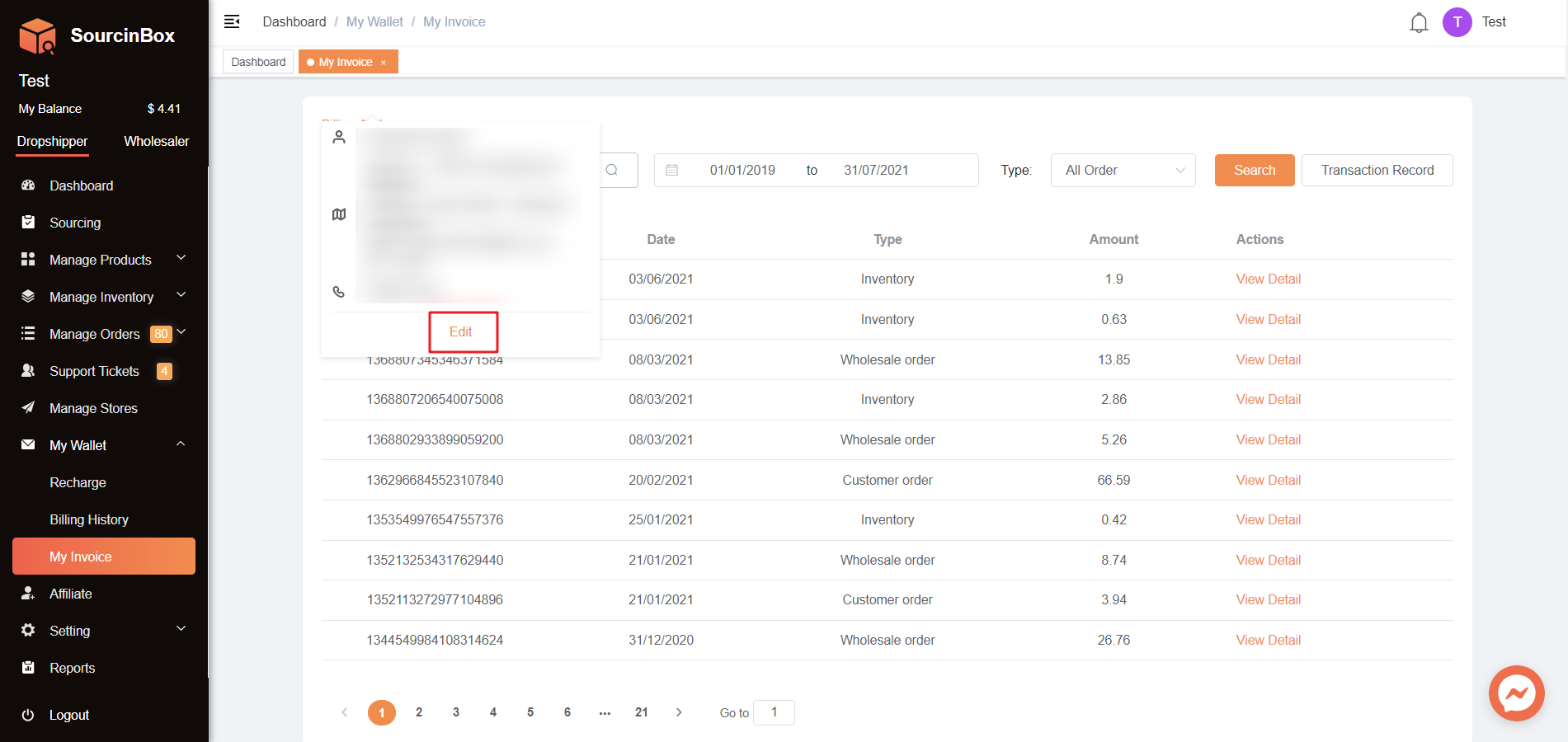
If you want to show your company name on the invoice, please enter your company name in the section "First Name" or "Last Name".
1.3 Find The Exact Payment Record
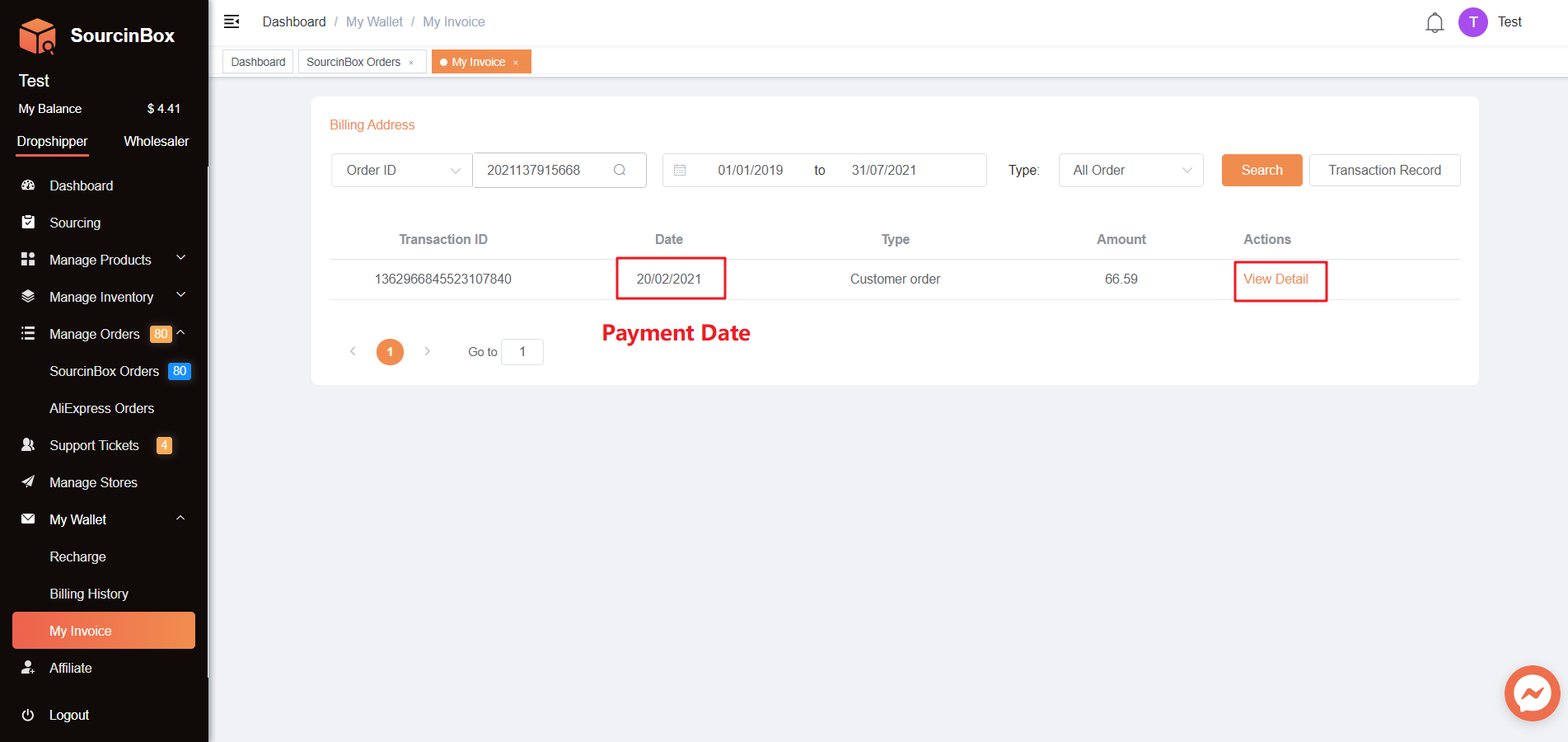
You can use Transaction ID, Order ID, or Store Order Number to find the exact payment record.
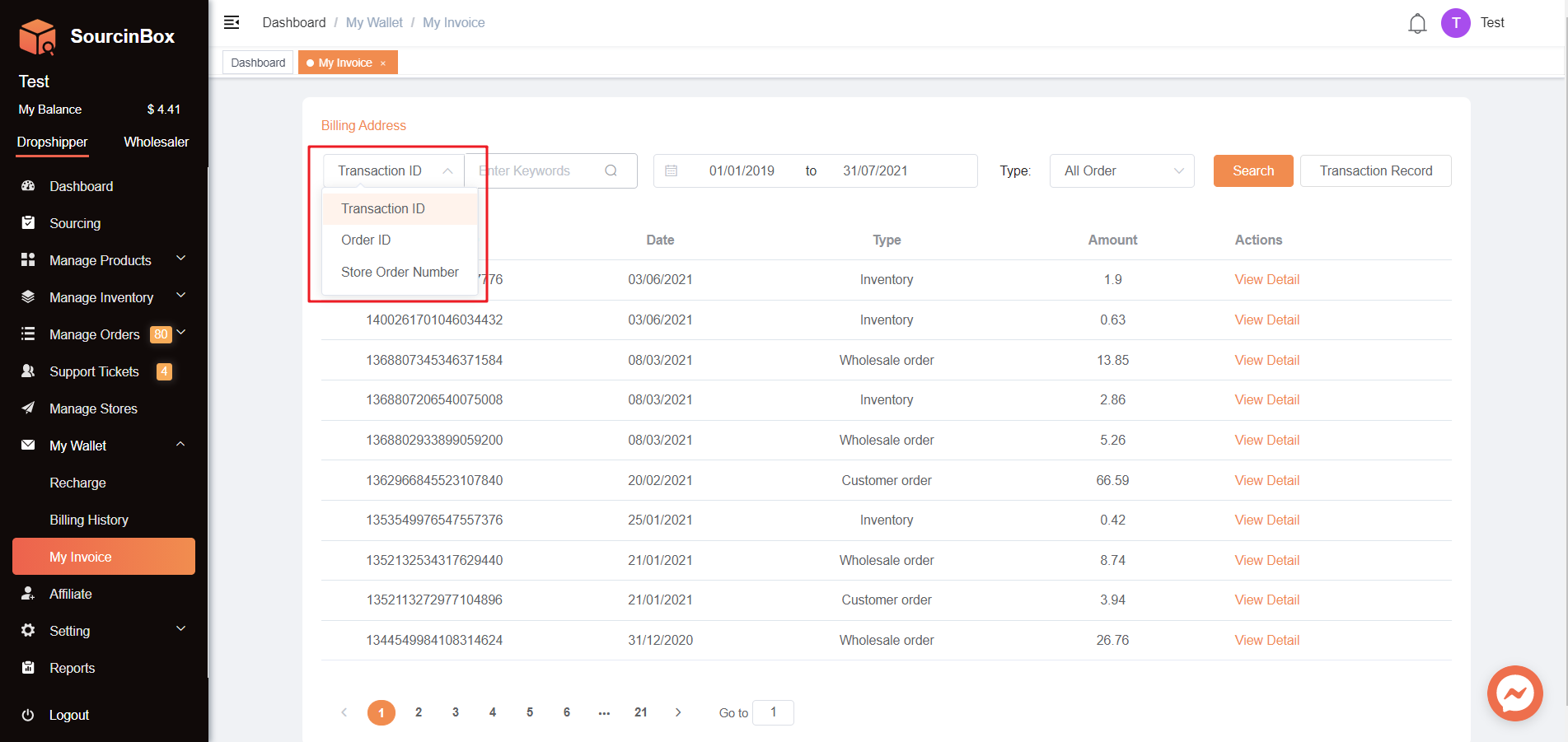
• By Transaction ID
The Transaction ID is only available on the Page "My Invoice". Please DO NOT mix up with the transaction numbers on Page "Billing History". These transaction numbers on "Billing History" below CAN'T be used to identify the record on Page "My Invoice".
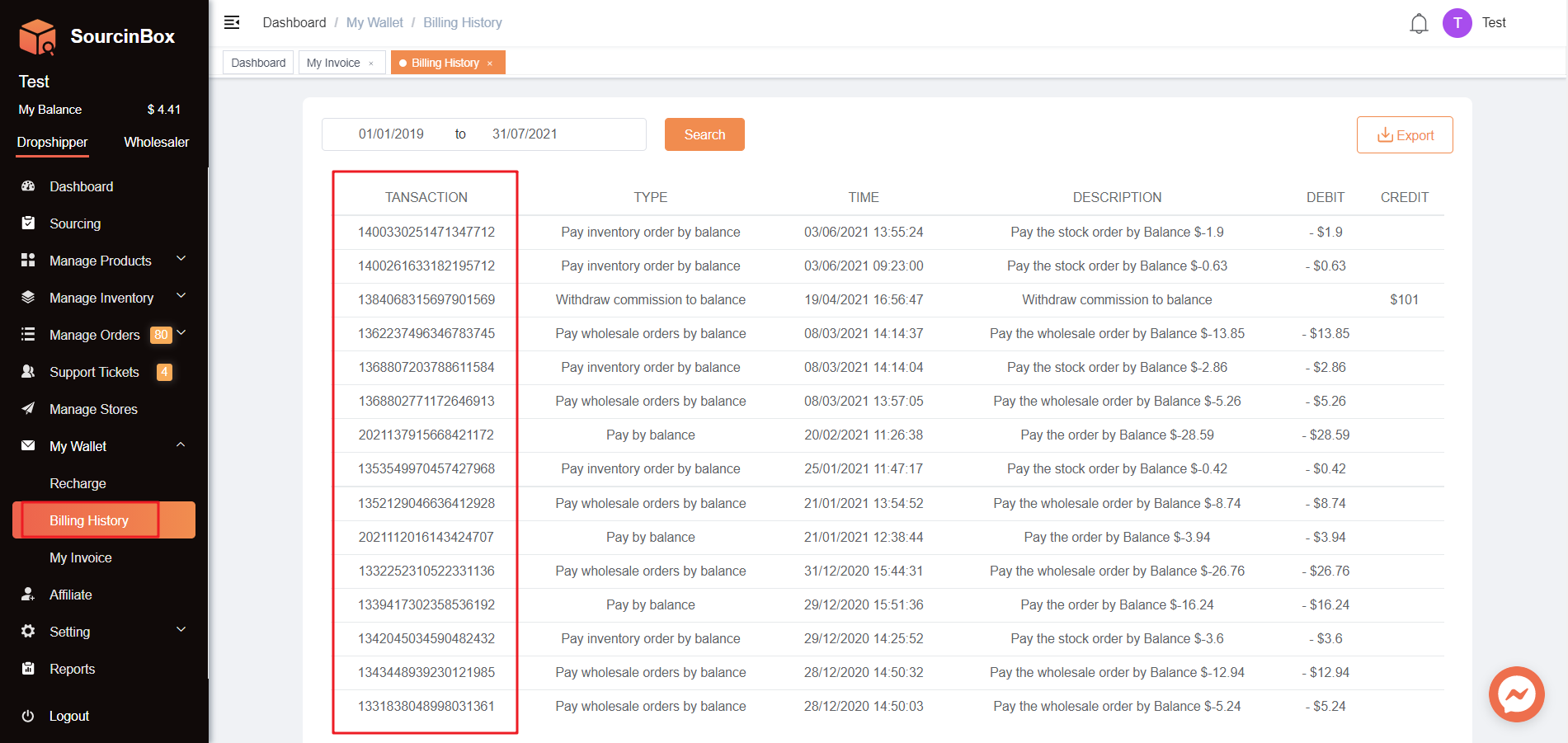
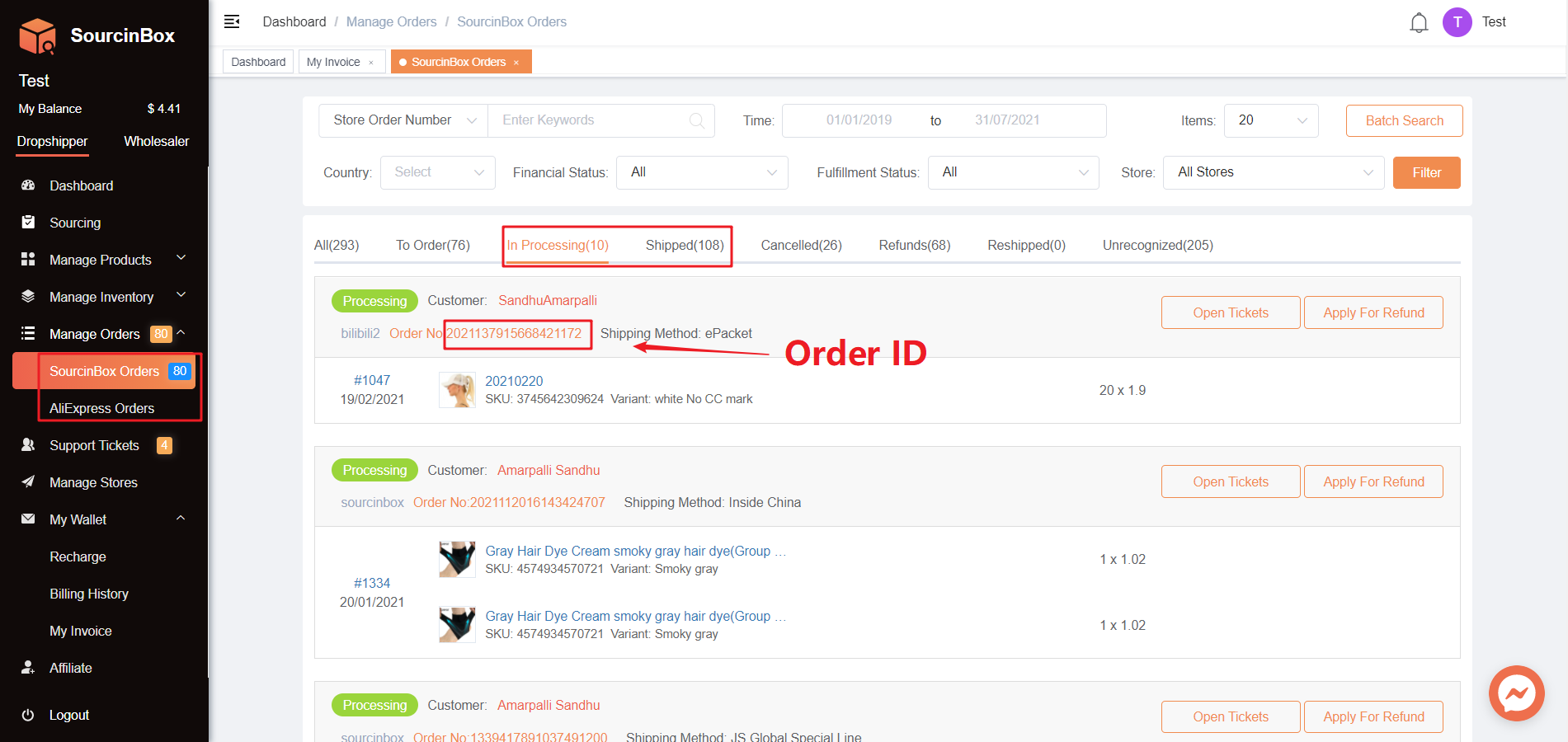
• By Order ID
Please find the Order ID on Page "SourcinBox Orders". You can only query invoices for orders that have already been paid.
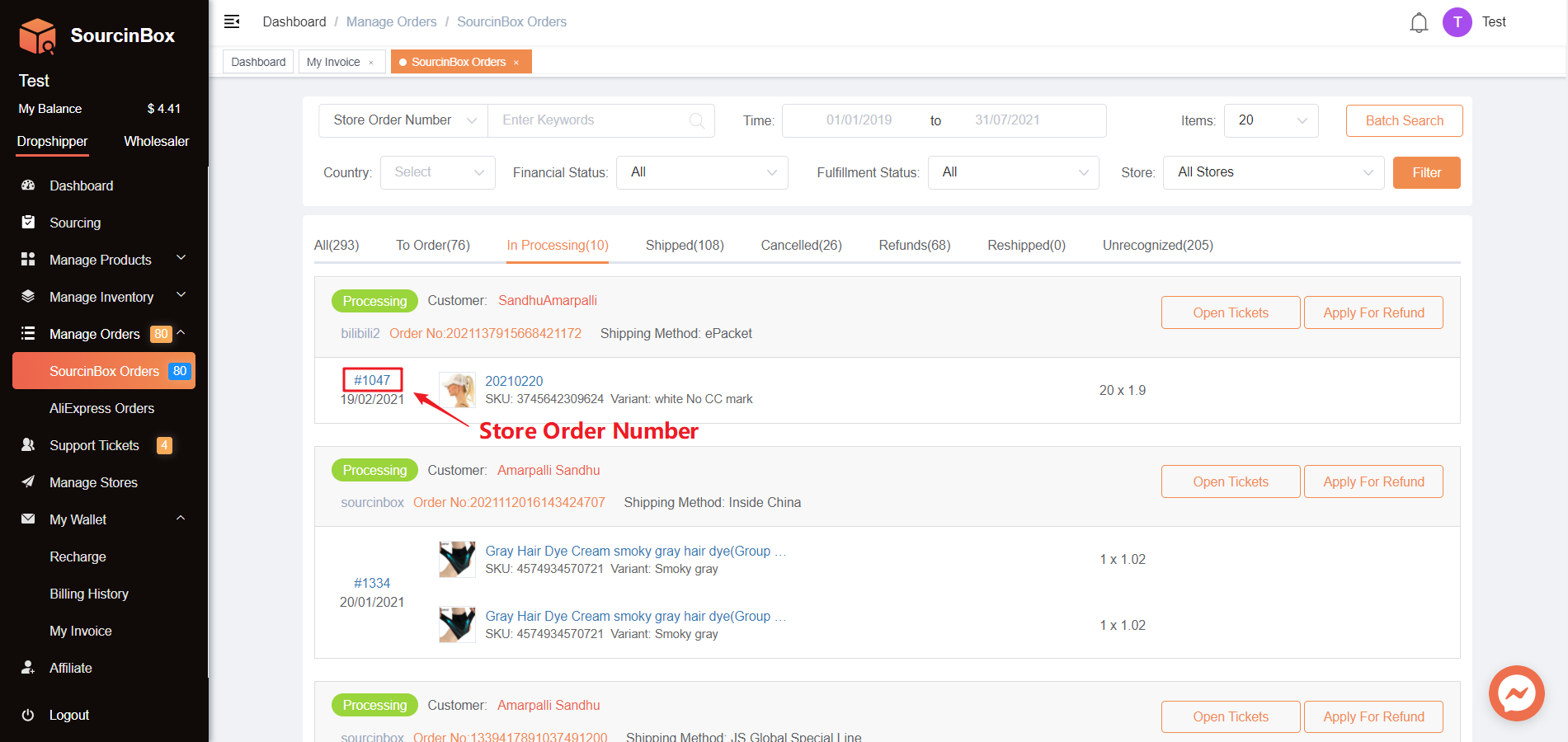
• By Store Order Number
Please find the Store Order Number on Page "SourcinBox Orders".
1.4 View Detail & Save The Invoice as A PDF
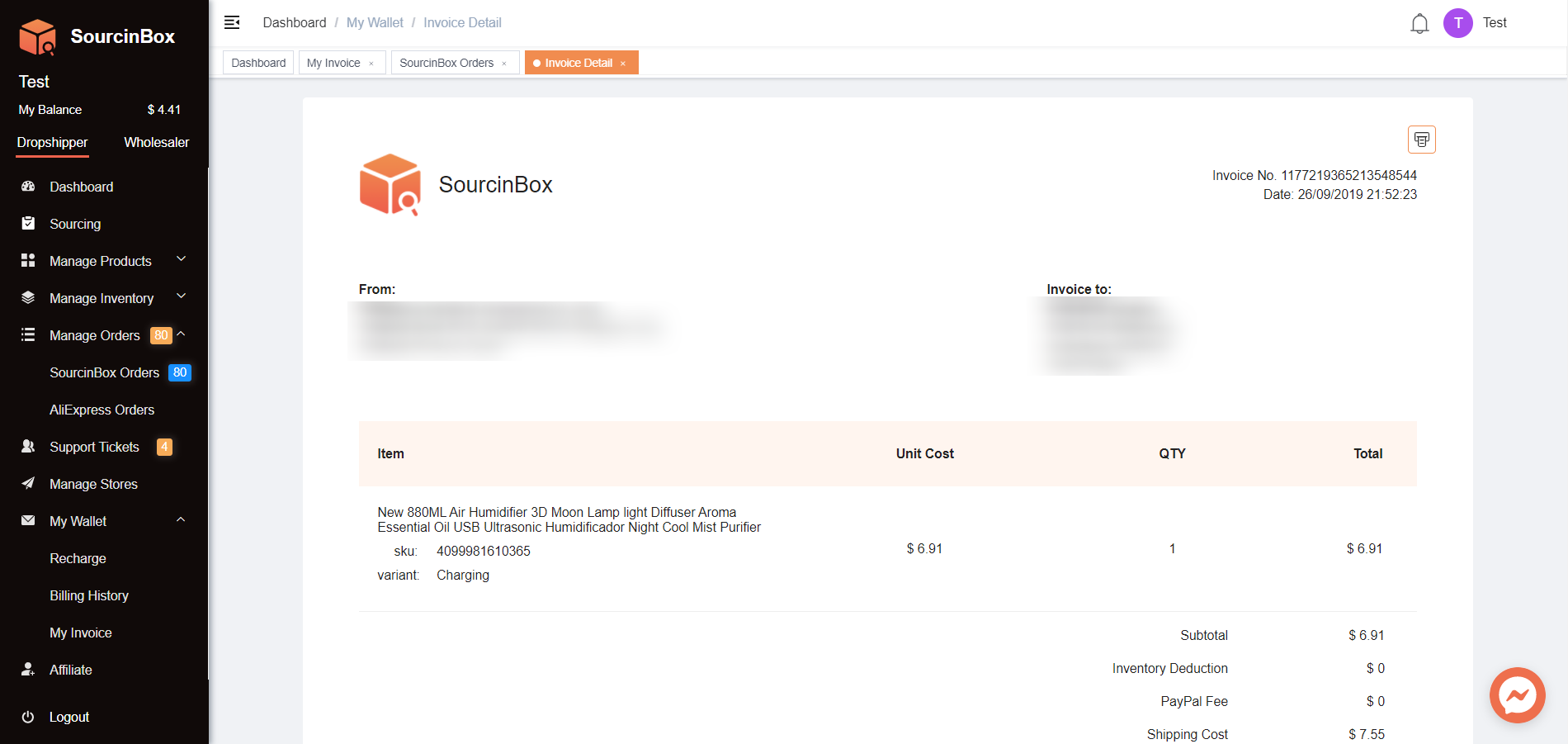
Click "View Detail", then you'll have a preview of the invoice. Please note that you need to check the invoice according to the payment date of your products.
2. Invoice Based on The Date
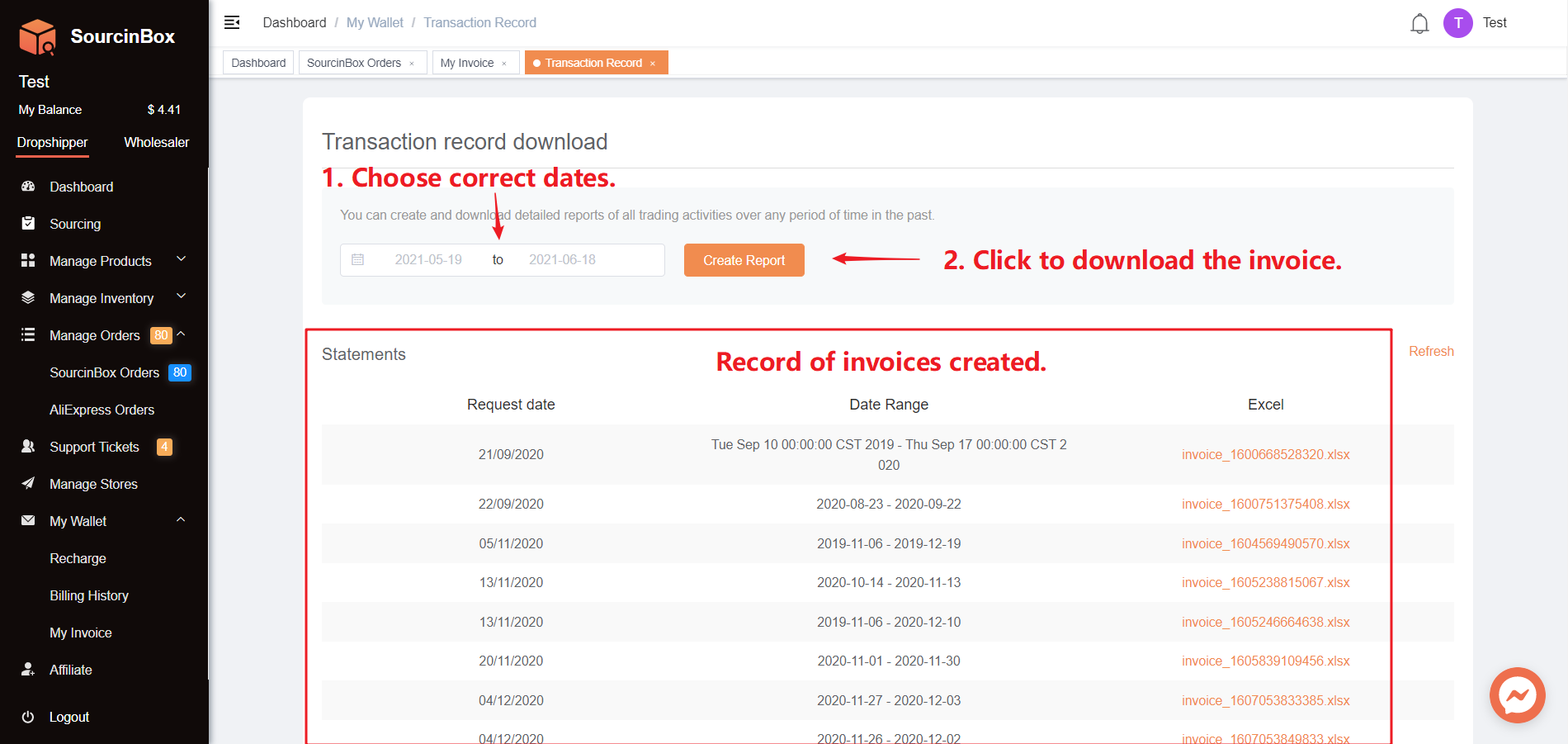
When you only need an invoice issued for the transactions between 2 time points. You can download the invoices by the following steps.
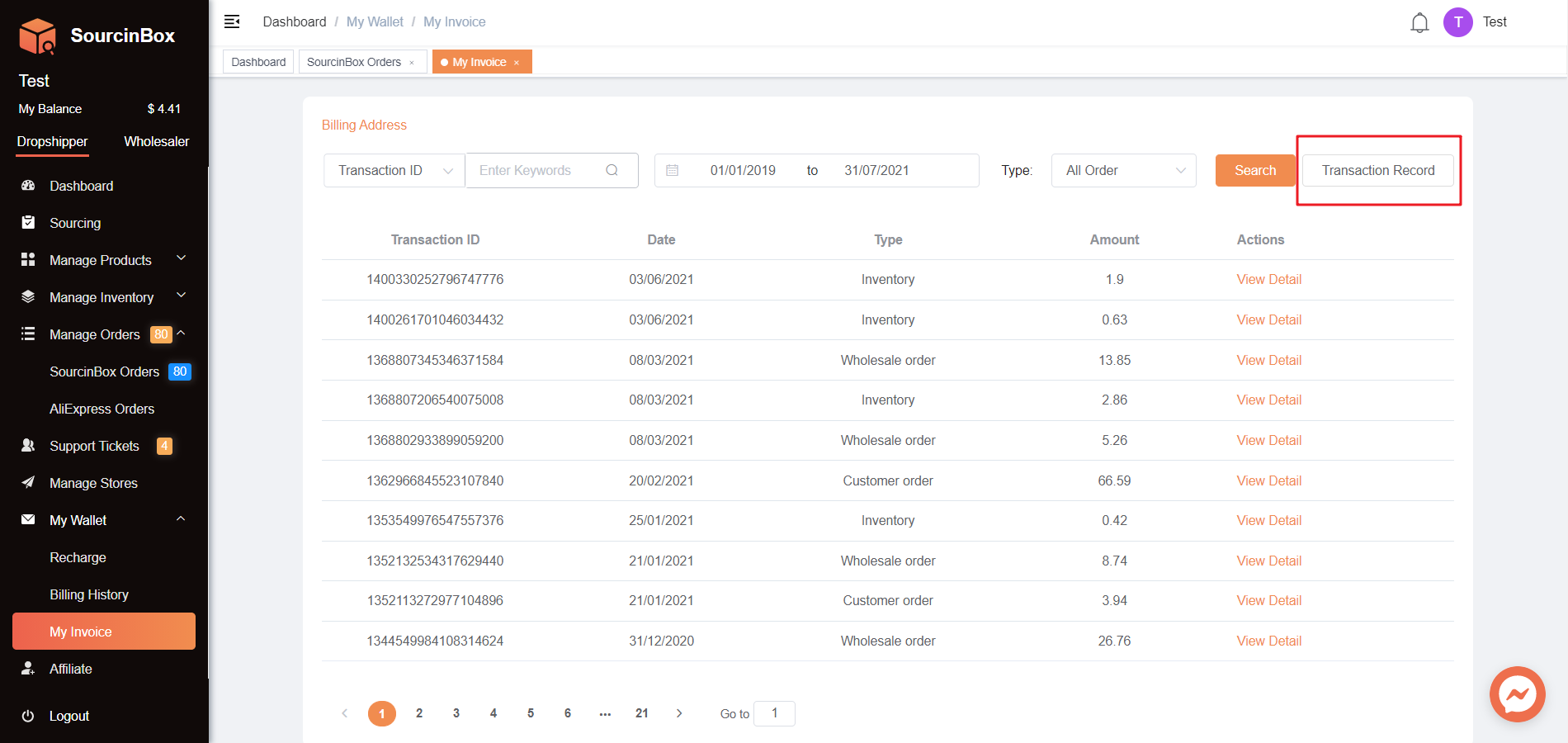
2.1 Go to Transaction Record
2.2 Download invoices for multiple transactions
Share Article: