Categories: Order Processing
How to Split Orders on SourcinBox APP
By:SIB Content Team
March 3, 2022
16 min read

SIB Content Team
The SourcinBox Content Team is dedicated to providing insightful, data-driven, and actionable content for dropshippers and eCommerce entrepreneurs. With expertise in product sourcing, supply chain management, branding, and fulfillment automation, we help online sellers navigate the ever-evolving world of cross-border eCommerce.
SourcinBox app now is able to split the orders. Please check it out in the video below.
SourcinBox app now is able to split the orders. Please check it out in the video below.
You are able to split the orders on SourcinBox app. Please check it out in the video below.
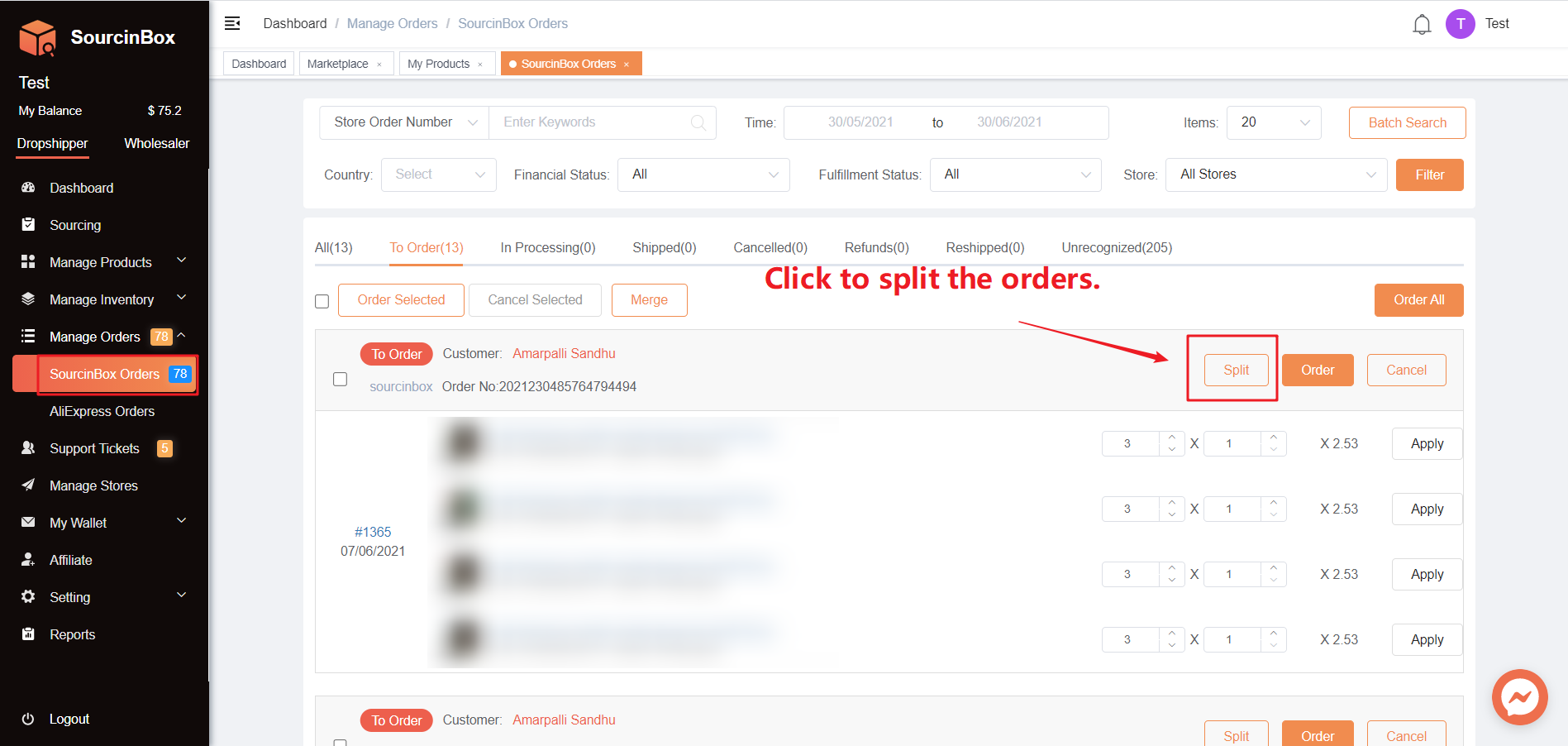
1. Click "SourcinBox Orders - Split".
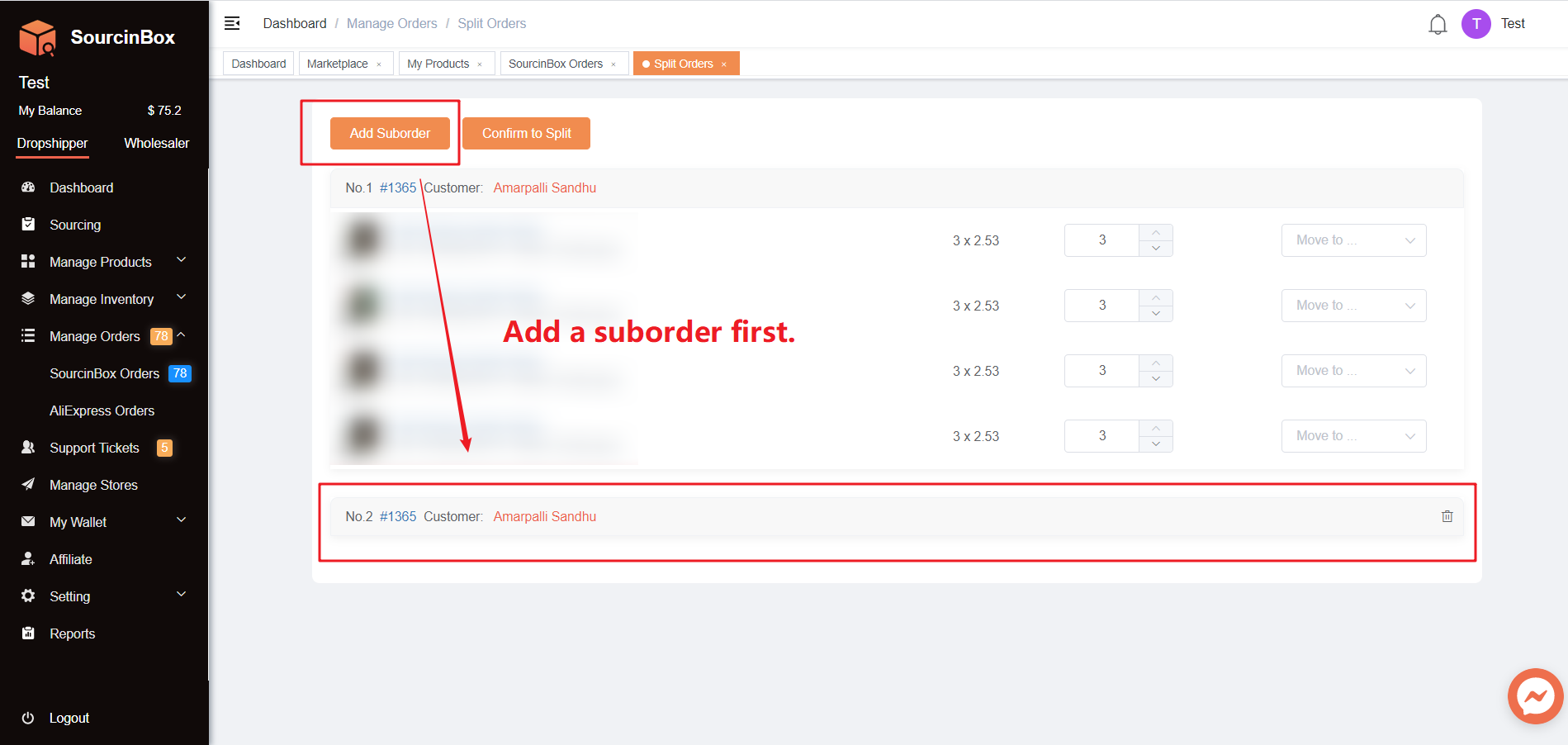
2. Add a suborder first.
If you want to split the orders into multiple orders, you can add multiple suborders.
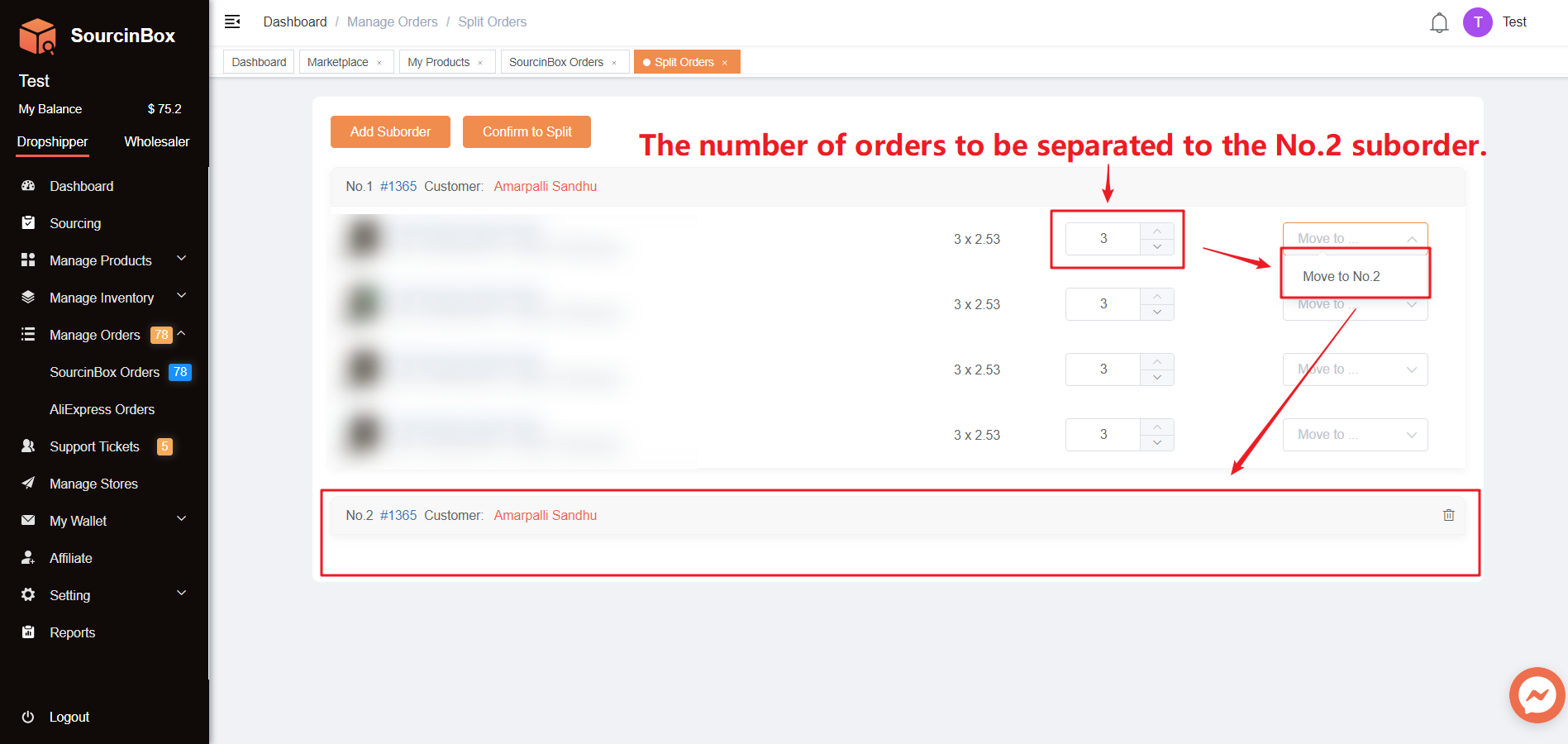
3. Choose the number of orders to be separated and the suborder.
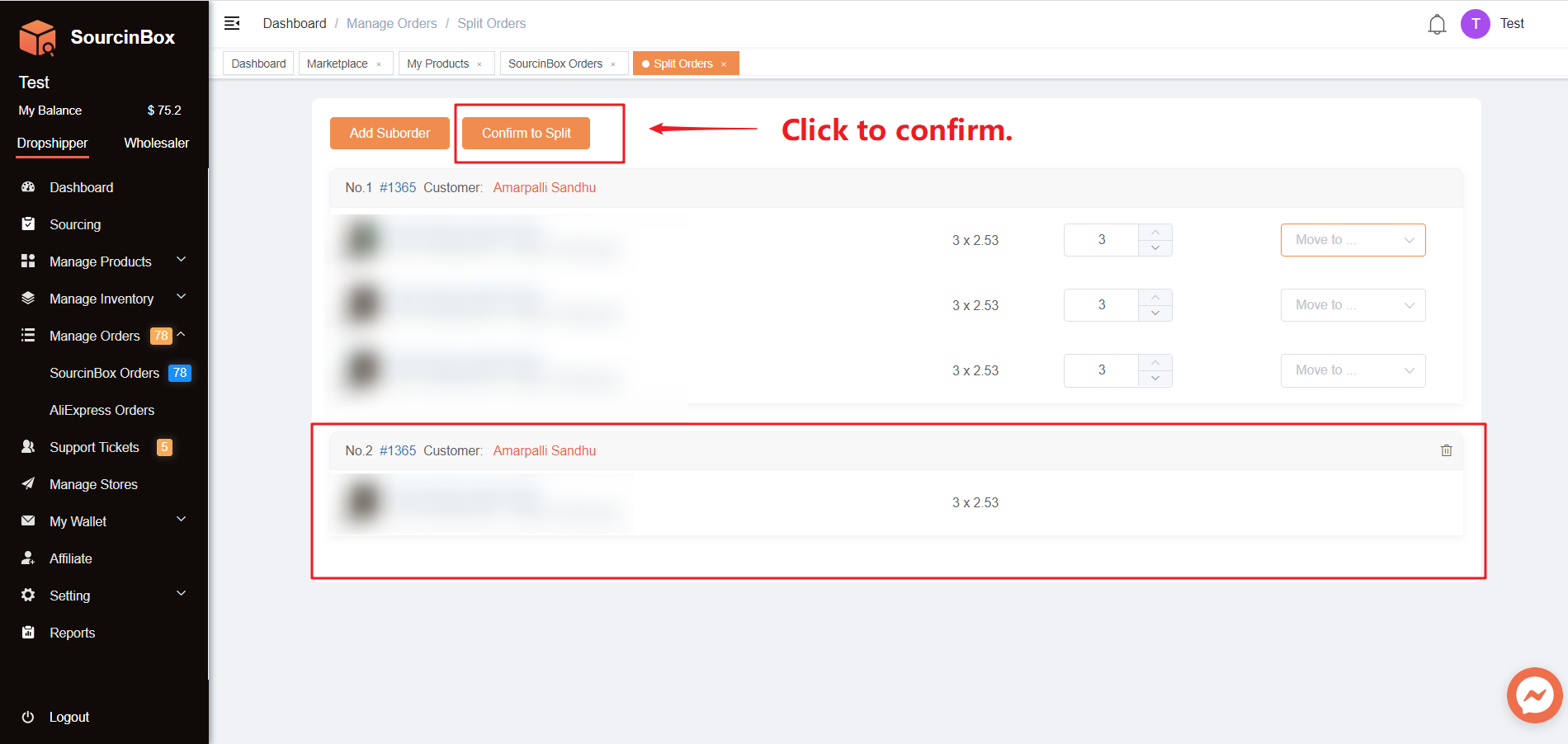
4. Confirm to split.
If you are getting separated orders placed by the same customer, you can try to merge these orders into one order by following the steps in our blog.
Share Article:




Ir para o Blog em Português →
Get the latest insights on the Latin American eCommerce market.
Start Your Online Business -For Free!
- Lower Price
- Faster Shipping
- Easier Order Fulfillment